Catch the “quick look” at your phone before it eats your hour.
Doomore is a free, open-source Mac menu bar app that notices when you drift from your work to your phone, and gives you a push to come back. Everything runs on your Mac.
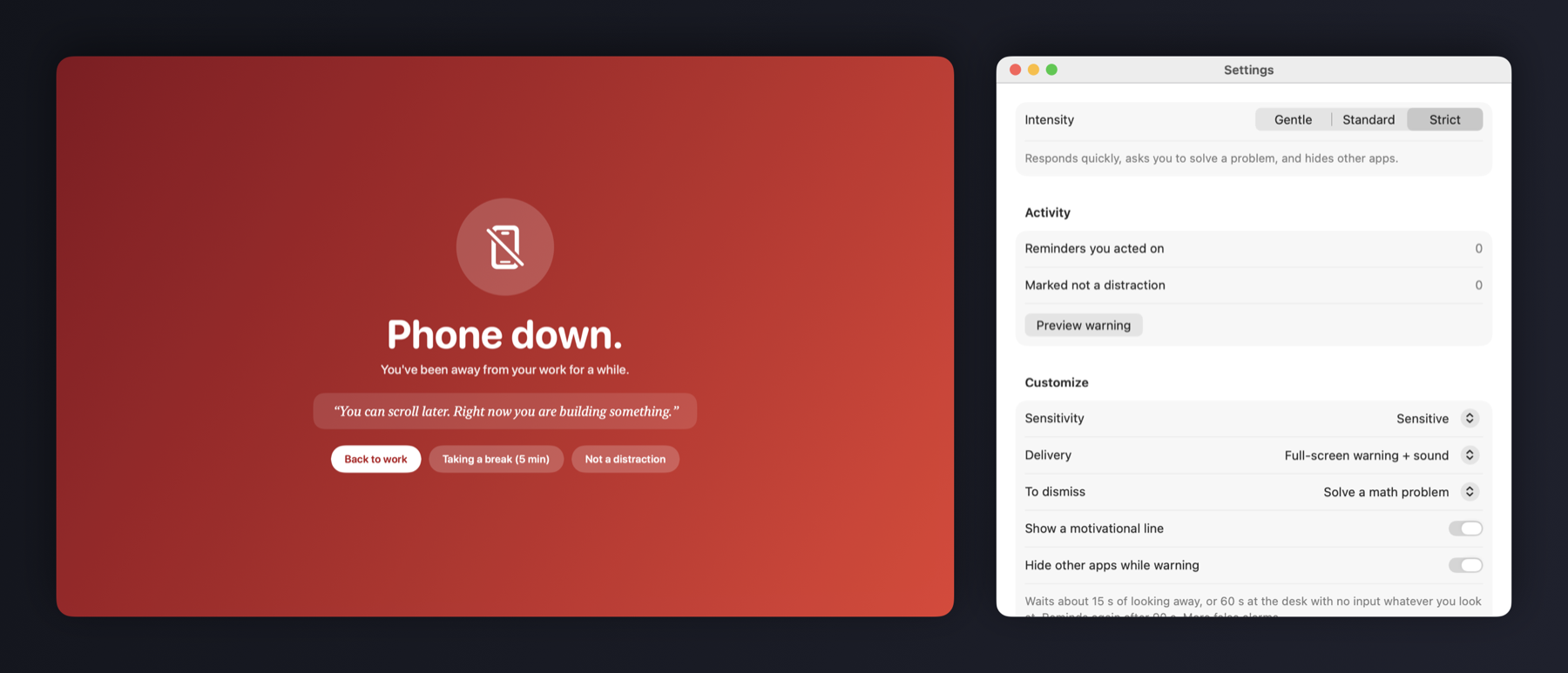
How it feels
Press Start
Start from the menu bar when you sit down. Nothing runs before that.
Work
Doomore stays out of the way. Calls, videos and breaks are left alone.
Drift
Head down or turned, hands off the keys, mouse still, for long enough to matter.
Come back
A quiet nudge or a full-screen warning, depending on how strict you want it.
What you get
Lives in the menu bar
Start when you sit down. It never starts by itself.
Notices the drift
Head, hands, keyboard and mouse, all together and sustained. Never one signal alone.
Three intensities
Gentle (quiet notification), Standard, and Strict (full-screen warning with a looping sound).
Breaks the habit on purpose
Wait 15 seconds, solve a math problem, type a commitment, or stand up and stretch before the warning lets go.
Knows when to stay quiet
Pauses during video calls. Limit it to your work apps, take a 5 minute break, or pause.
Learns from you
Say “Not a distraction” three times in a row and it becomes one step less sensitive.
Private by design
- No images saved or uploaded. Camera frames are analyzed in memory, two per second, and discarded.
- Nothing leaves your Mac. No network code, analytics or accounts.
- No microphone while monitoring.
- No keystrokes or screen content. It only reads how long ago you last typed or moved the mouse, and which app is in front.
- Two permissions: camera and notifications. No screen recording, accessibility or input monitoring.
- Apple's built-in Vision models only. Nothing is downloaded or bundled.
Install
Paste this into Terminal. It downloads the latest release, installs it to Applications and opens it.
curl -fsSL https://raw.githubusercontent.com/AhmedNavaz/doomore/main/scripts/install.sh | bashOr download the zip, move Doomore to Applications, then right-click it and choose Open. The app is not notarized yet, so macOS asks once.
Questions
What is Doomore?
A free, open-source macOS menu bar app that detects when you look away from your work, for example to check your phone, and reminds you to get back to it. It runs entirely on your Mac.
Does it block apps or websites?
No. Strict mode can hide other apps while the warning is up, but it never closes them, so no unsaved work is lost.
Does it detect the phone itself?
Not directly. It infers distraction from head position, hands in view, and keyboard and mouse idle time, so it can miss a phone held level at eye height.
Is it free?
Yes. Doomore is MIT licensed and the source is on GitHub.
Which Macs are supported?
Apple silicon Macs running macOS 14 or later. It has so far been tested only on macOS 27.